Step 1 of 7
Get discovered
The journey begins when a customer finds your business and quickly understands what you do and where you work. A clear website gives them the confidence to take the next step and send an enquiry.
Build your website, capture leads, send quotes, schedule jobs, optimise routes, track expenses and invoice clients from one app. Keep the day-to-day admin organised, every job moving and all your customer and job details connected in one place.
Everything included. Free for 7 days, then $19.99 AUD/month. Cancel anytime.



Everything you need to run the job from start to finish. From getting discovered to getting paid, TREVY keeps your leads, quotes, jobs, invoices and expenses connected in one place.
Everything you need to run the job from start to finish. Create a professional website for your service business with your branding, services and service areas. When someone gets in touch, their enquiry arrives in TREVY as a lead ready for you to follow up.
Explore Websites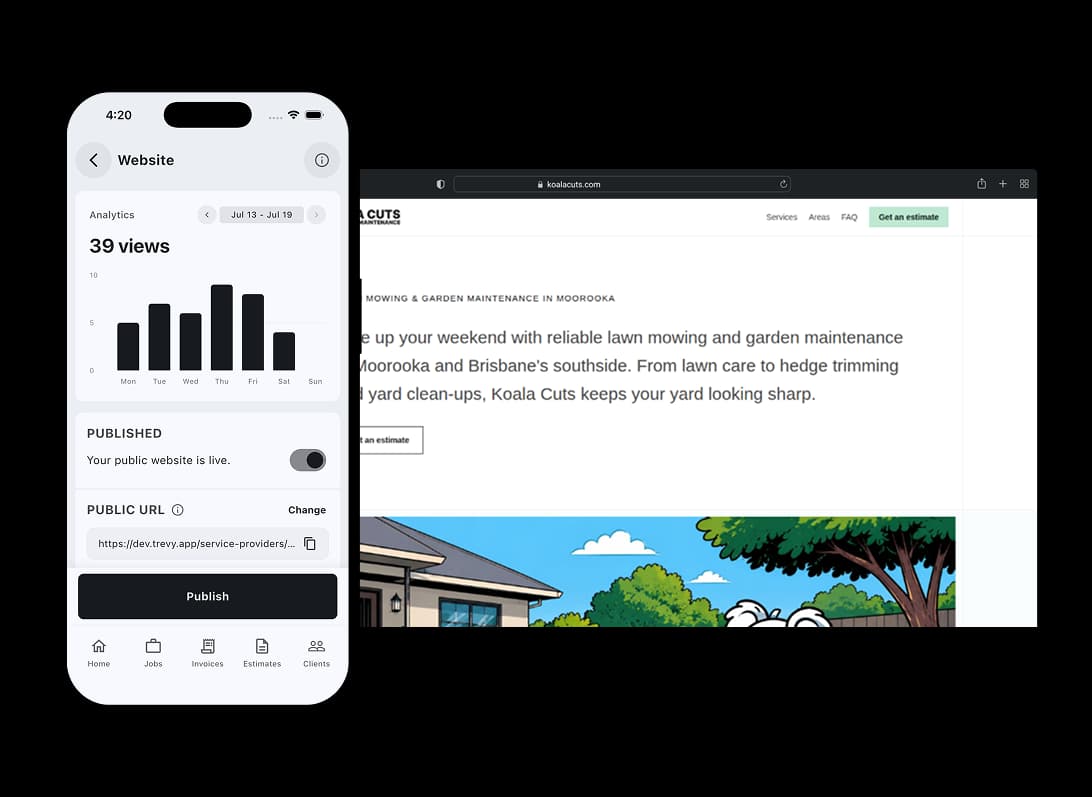
Turn new enquiries into real work. Whether a client finds you through your TREVY website or somewhere else, respond quickly and keep the opportunity moving.
Turn new enquiries into real work. Create polished quotes using your saved services and send them straight to clients. They can review and accept online, and TREVY lets you know when they do.
Explore Quotes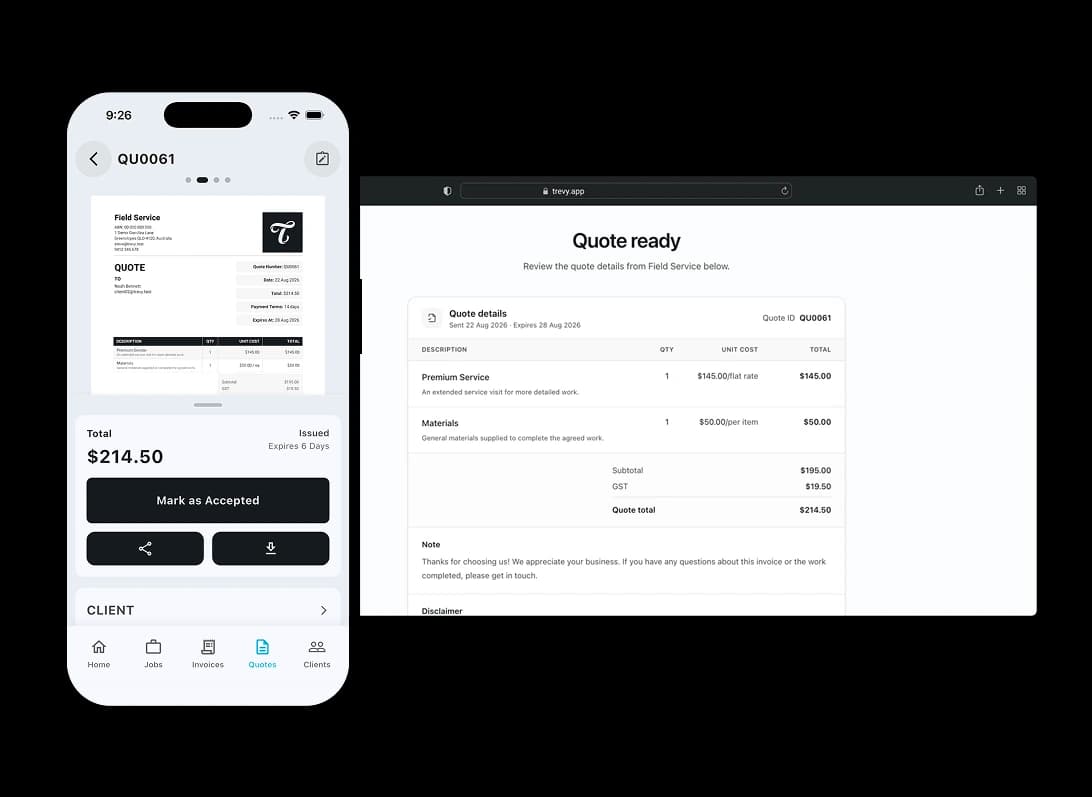
From approved to booked in. Once the client says yes, get the work into your schedule and keep the next step clear.
From approved to booked in. Keep one-off and recurring jobs organised in a clear daily schedule. Optimise your route between jobs and see client details, locations, times and job status together, so you always know where you need to be and what comes next.
Explore Scheduling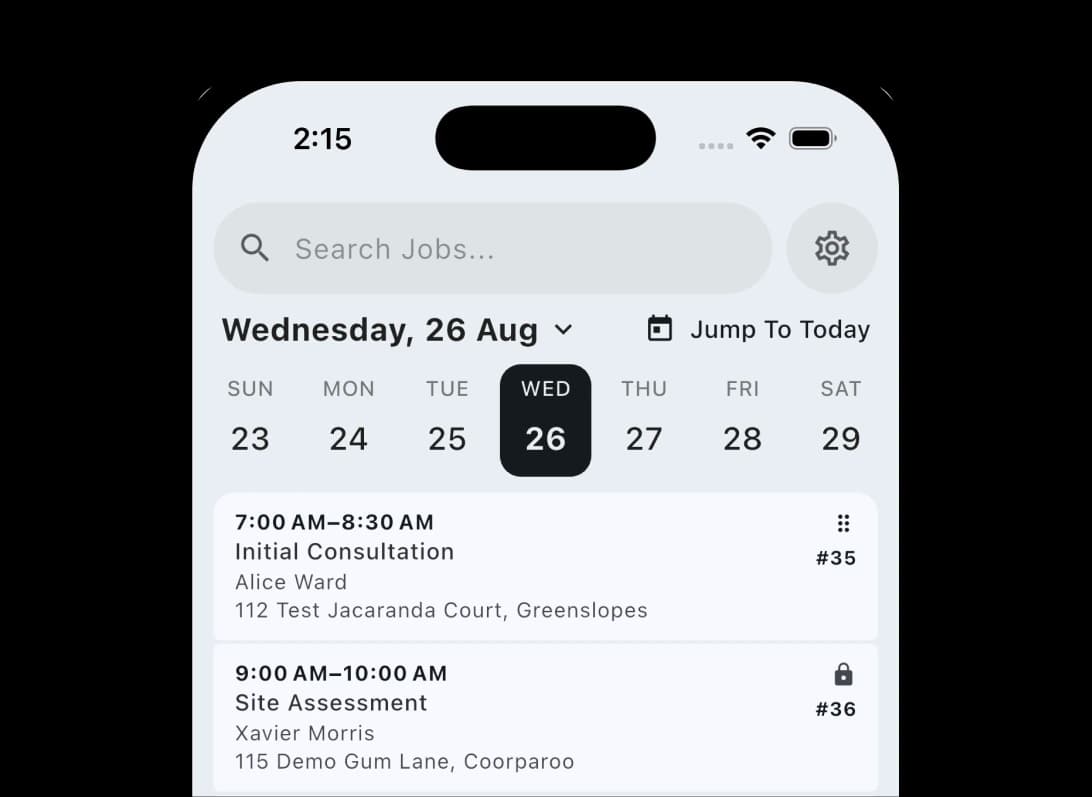
Finish the job and keep things moving. When the work is done, turn it into a professional invoice without starting from scratch.
Finish the job and keep things moving. Create professional invoices from your existing job details and saved services. Send them from site, offer your preferred payment options and keep payment status connected to the job.
Explore Invoicing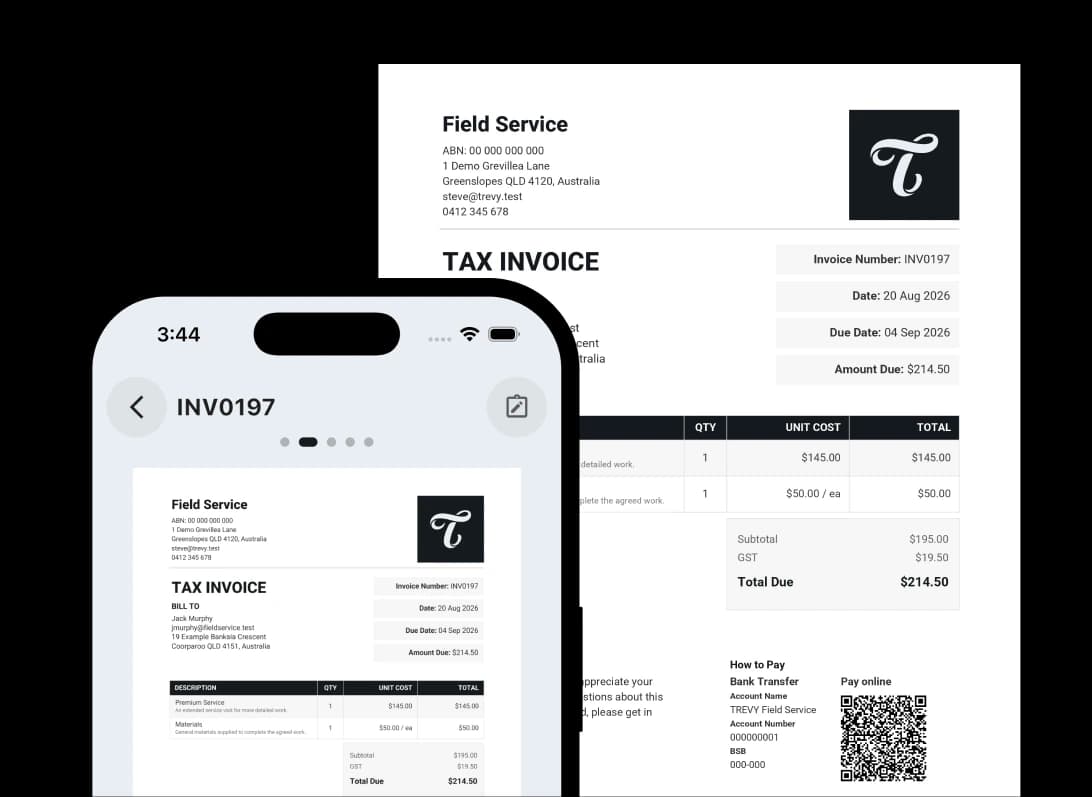
Know what the work really made. Income is only half the picture. Keep your day-to-day costs visible so you can make better business decisions.
Know what the work really made. Scan a receipt and let TREVY prefill the supplier, date, total, description and category. Review it, save it and keep your business spending organised for reconciliation and tax time.
Explore Expenses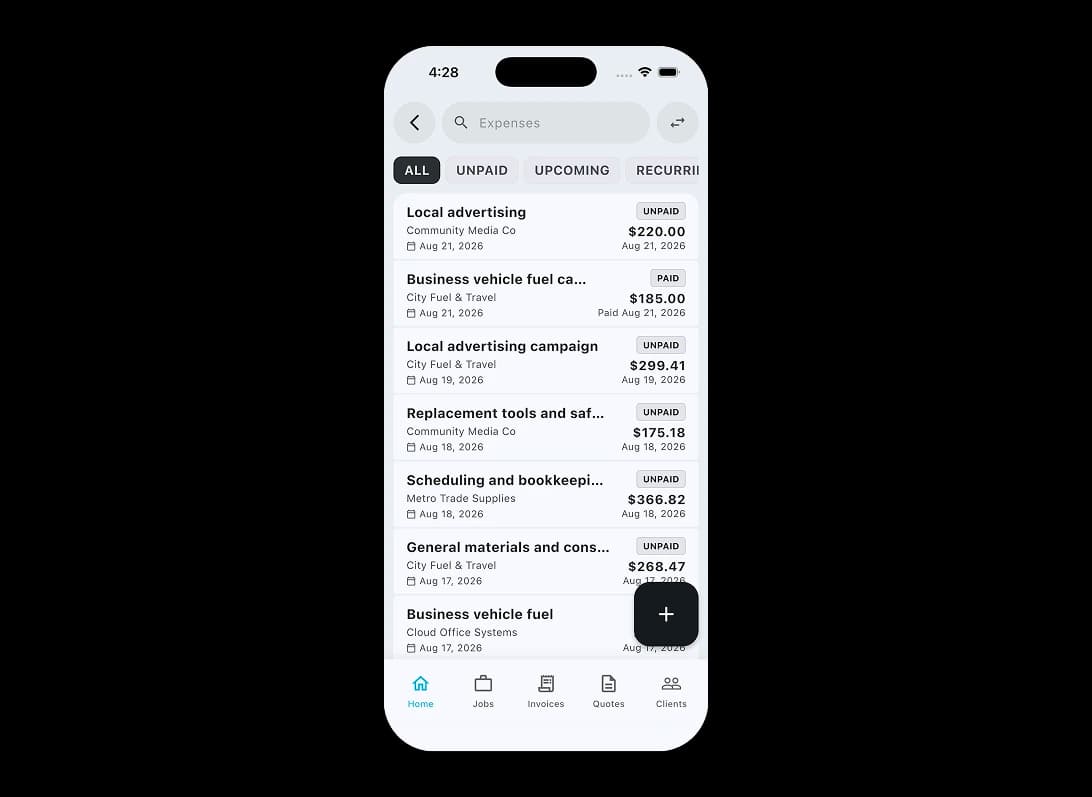
Integrations
Accounting

Publish customers, suppliers, issued invoices, payments, credit notes and expenses into your Xero accounting workflow.
Explore XeroPayments

Give clients a Stripe-hosted way to pay and keep confirmed payments connected with the right TREVY invoice.
Explore StripeBuilt for the way your industry works. TREVY keeps your customers, jobs and paperwork organised as work moves forward.
Swipe to explore


Simple, Transparent Pricing. One plan. Every feature. No lock-in.
Start your 7-day free trial and explore every feature. You won't be charged if you cancel before the trial ends.
Cancel anytime via the App Store or Google Play.
Available to Australian businesses only. All features are included in one plan with no tiers or add-ons.
No lock-in contracts. Cancel anytime.
Resources
Explore straightforward guides for managing schedules, quotes, invoices, clients, and the day-to-day work that keeps your business moving.

I built TREVY to help hard-working tradies and service providers spend less time on admin, paperwork, quotes, and invoices, and more time on the rest of life.

Learn why a professional website matters for service providers in 2026, from local SEO and lead generation to brand awareness, credibility, and converting more enquiries.

A practical guide for Australian service providers who want to price jobs with more confidence by accounting for labour, materials, travel, overhead, margin, GST, and risk.
Free business tools
Create a polished Australian invoice or quote in your browser and download it as a PDF. Free to use, with no signup required.
Create a professional Australian invoice with your ABN, line items, GST, payment details and terms, then download an unbranded PDF.
Build a clear Australian quote with your scope, pricing, GST, expiry date and terms, then download an unbranded PDF to send.
Questions? Answers. Everything you need to know about TREVY.
Yes. TREVY is available to Australian businesses only and is designed around the way local tradies, sole traders and service businesses work. It supports Australian business details and GST settings for registered businesses. You remain responsible for your registration details and tax treatment.
Yes. You get full access to TREVY for 7 days. The trial is handled through the App Store or Google Play, so a payment method on file with your store account is required, but you will not be charged until the trial ends.
You can choose to upgrade to keep using TREVY. If you decide not to continue, your account switches to read-only mode.
Yes. There are no lock-in contracts. You can cancel your subscription at any time through your App Store or Google Play subscription settings.
TREVY is built for Australian solo tradies, sole traders and independent service professionals who need a simple way to manage jobs, quotes, invoices, scheduling, and client communication.
Yes. You can create jobs without booking them straight away, then schedule them later when the timing is confirmed.
Yes. You can schedule recurring jobs for repeat work, add return visits to the same job, or split one job across multiple scheduled visits when needed.
Yes. Fixed visits reserve an exact appointment, while Flexible visits store a date and expected duration for route optimisation. Once a time is committed, you can optionally show the customer an arrival window without changing the internal schedule.
Yes. TREVY can send booking confirmations to clients and let them request a reschedule through the client portal where you allow it, while you stay in control of approving and managing any changes.
Yes. TREVY tracks quote activity and lets you know when a client views, accepts, or rejects a quote so you can follow up quickly.
Yes. You can set an expiry date on quotes, and TREVY keeps you updated when clients view, accept, reject, or when the quote expires.
Yes. TREVY supports online invoice payments through Stripe payment links when enabled, and invoice status tracking helps with follow-up.
Yes. TREVY includes live GPS tracking so clients can see when you are en route to a job, helping reduce no-shows and create a more professional experience.
Yes. You can save common services and line items in your price book so creating quotes and invoices is faster and more consistent.
Yes. TREVY helps you capture expenses and use them in your quoting and invoicing workflow, making it easier to record costs and recover billable expenses.
Yes. TREVY lets you group related work into projects so jobs, quotes, invoices, photos, and client activity stay connected in one place.
Yes. You can attach photos and notes to your work as you go, making it easier to document site details, completed work, and important context.
Yes. Clients can view photos attached to individual jobs, quotes, and invoices, and they can also view photos across the overall project through the client portal.
Yes. You can use TREVY for jobs, quotes, or invoices on their own depending on how you run your business. You do not have to use the full workflow or send emails automatically, and client links are available whenever you want to share something.
Ready When You Are
Streamline your business admin. Save time and get paid faster with the app built for service pros. Download TREVY today.


